EPM Dashboard
A visual interface to inspect your input data and explore results.
Beta — you cannot launch a run from the interface
The Dashboard is beta software, meant for reviewing inputs and reading results.
The interface has a Launch tab, but launching a run from it is not supported at this stage — it is experimental and gives no usable error output. Run the model from the command line instead: see Run from Python.
Nothing is lost by doing so — a run started from the command line writes its CSV outputs
to output/, which the Dashboard reads automatically. To diagnose a failed run, use the
.log files: see Debugging.
Launch the dashboard
From your EPM folder:
Then open your browser at http://localhost:8080.
Port already in use
Set the PORT environment variable to pick another one — for example
$env:PORT=8090 (Windows PowerShell) or PORT=8090 (macOS / Linux) before the command
above.
Workflow
1. Select your input data
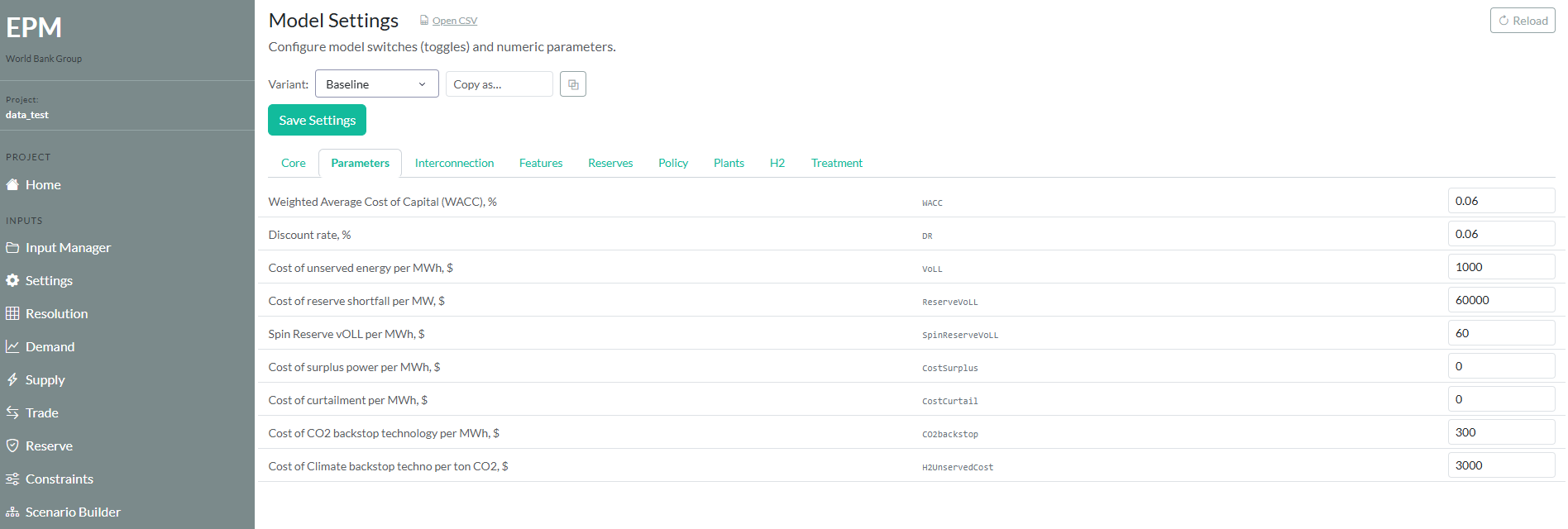
Upload or select your input folder from the left panel. The dashboard validates your data and highlights any missing or inconsistent inputs.
2. Configure your run
Set key parameters directly from the interface: model type (MIP / RMIP), number of scenarios, CPU cores. The Run Config tab assembles them into the matching python epm.py command, which you then copy and run in a terminal — see Run from Python.
The Generated Command panel gives you the line to paste into your terminal:
Note
The tab ends with a Launch Run button. It is not operational — copy the command above and run it yourself.
3. Explore results
Once the run completes, navigate the built-in charts: capacity expansion by technology and year, generation dispatch, costs breakdown, emissions trajectory.
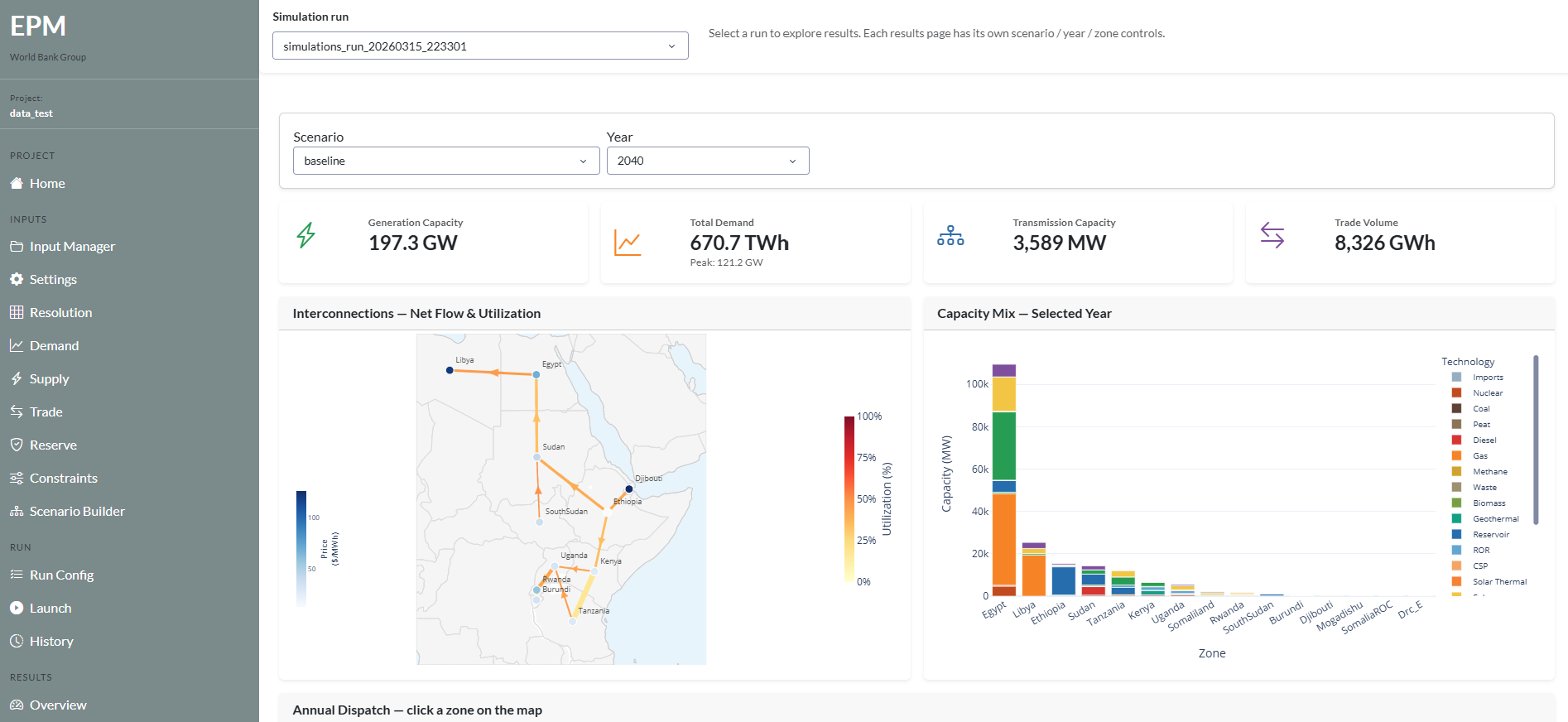
Results are also saved to output/ as CSV files for use in Tableau or Python.
Requirements
- EPM installed (Installation)
- Python environment active (
epm_env) - Dashboard dependencies installed (included in
requirements.txt)